> ## Documentation Index
> Fetch the complete documentation index at: https://docs.sherloqdata.io/llms.txt
> Use this file to discover all available pages before exploring further.

# Import queries from Google Sheets

> Import you exsiting saved queries

<Note>
  We're working on making this extraction automatic with the click of a button, and it will be launched soon.
</Note>

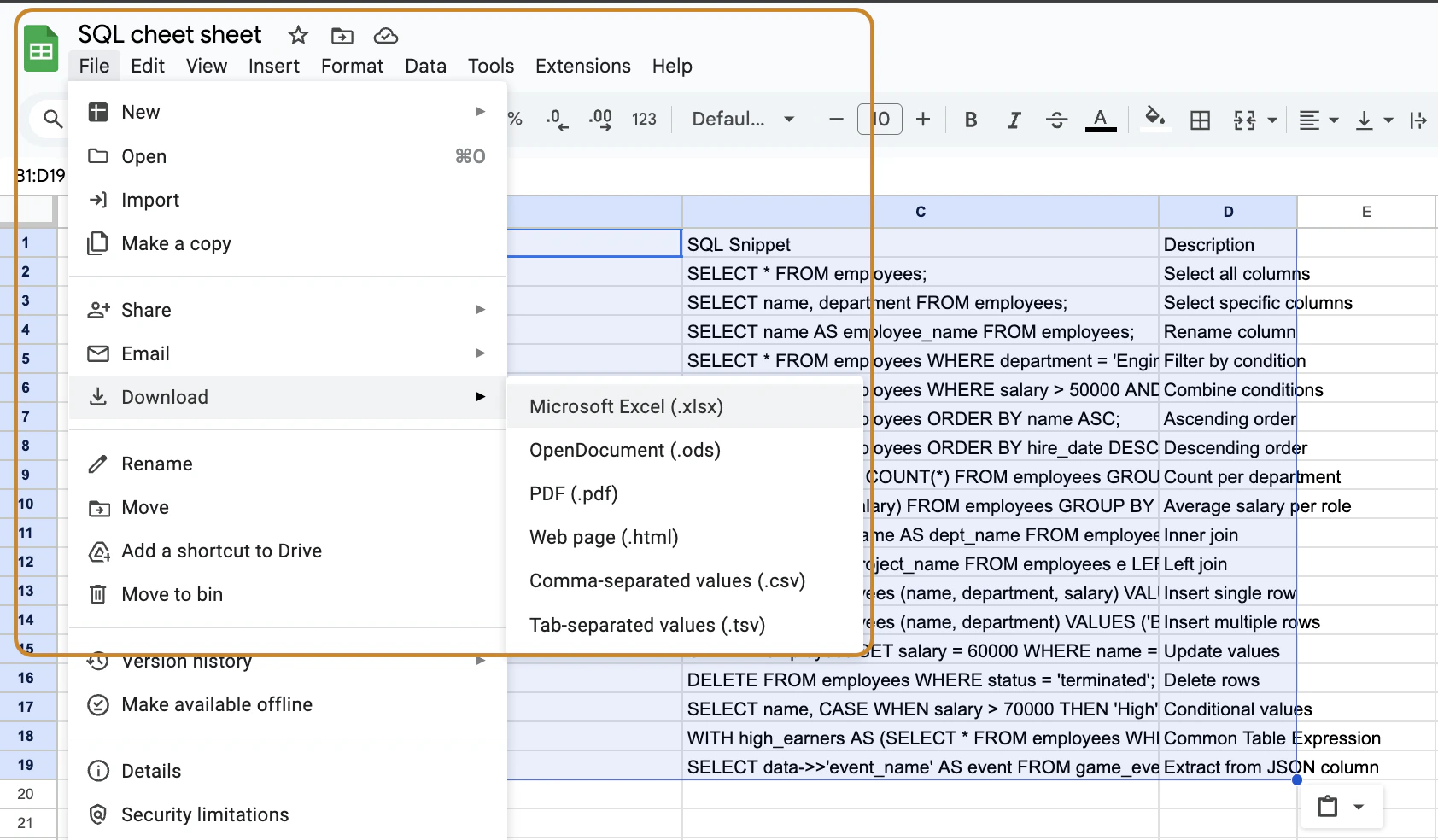
<img src="https://mintcdn.com/sherloq-31da1dfe/tD9AIrHANoNaF5Xm/images/import_queries_from_sheet.png?fit=max&auto=format&n=tD9AIrHANoNaF5Xm&q=85&s=2b3a2dbbf7f2c994594e6903a5ea2305" alt="import_queries_from_sheet" width="1000" data-path="images/import_queries_from_sheet.png" />

<Steps>
  <Step title="Open your Google Sheet with the relevant SQL snippets" />

  <Step title="Click on 'File' in the top left menu" />

  <Step title="Hover over 'Download' and select 'Microsoft Excel (.xlsx)'" />

  <Step title="Drag and drop the downloaded .xlsx file into the Sherloq uploader" />
</Steps>
