> ## Documentation Index
> Fetch the complete documentation index at: https://docs.sherloqdata.io/llms.txt
> Use this file to discover all available pages before exploring further.

# Import from Snowflake

> Import you exsiting worksheets and notebooks

<Note>
  We're working on making this extraction automatic with the click of a button, and it will be launched soon.
</Note>

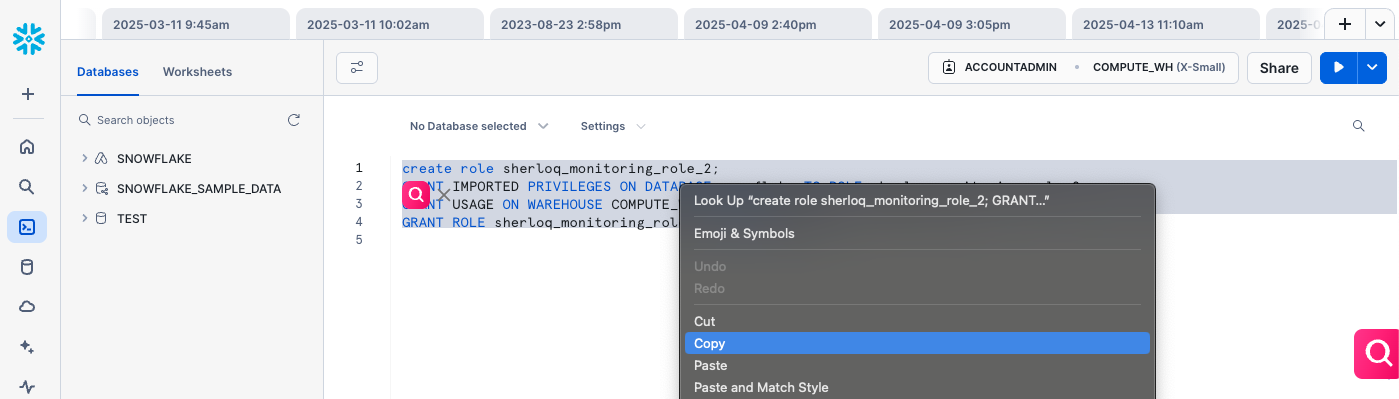
<img src="https://mintcdn.com/sherloq-31da1dfe/tD9AIrHANoNaF5Xm/images/copy_queries_from_snowflake.png?fit=max&auto=format&n=tD9AIrHANoNaF5Xm&q=85&s=915d29201127557362fd02447cc1aef9" alt="copy_queries_from_snowflake" width="1000" data-path="images/copy_queries_from_snowflake.png" />

<AccordionGroup>
  <Accordion title="Bulk import history queries">
    <Steps>
      <Step title="Go to Snowflake" />

      <Step title="Run the following query">
        ```
        SELECT *
        FROM TABLE(INFORMATION_SCHEMA.QUERY_HISTORY())
        WHERE EXECUTION_STATUS = 'SUCCESS'
        AND USER_NAME = '<your_username>';
        ```
      </Step>

      <Step title="Export the output (SQL queries history) into a file of any type." />

      <Step title="Drag and drop the file into the Upload a file in the Sherloq setting " />
    </Steps>
  </Accordion>

  <Accordion title="Copy-paste your saved queries / queries from console ">
    <Steps>
      <Step title="Go to Snowflake Worksheet" />

      <Step title="Mark the SQL you’d like to import / CTRL + A for all of it ->  Copy it - CTRL + C" />

      <Step title="Create a new TXT or DOC file and paste it, then save the file" />

      <Step title="Drag and drop the file into the Upload a file in the Sherloq setting " />
    </Steps>
  </Accordion>
</AccordionGroup>
