> ## Documentation Index
> Fetch the complete documentation index at: https://docs.sherloqdata.io/llms.txt
> Use this file to discover all available pages before exploring further.
# Queries History Logs
> Automated Saving of Executed Queries from IDE.
This feature automatically saves the history of queries you and your team run, allowing to access them in the ‘History’ section for quick reuse and reference to your previous work.
**This feature is compatible only with the following IDEs: DataGrip, Snowflake, BigQuery, and Mode. If you use a different IDE and would like this feature, let us know [here](https://www.sherloqdata.io/other-editor).**
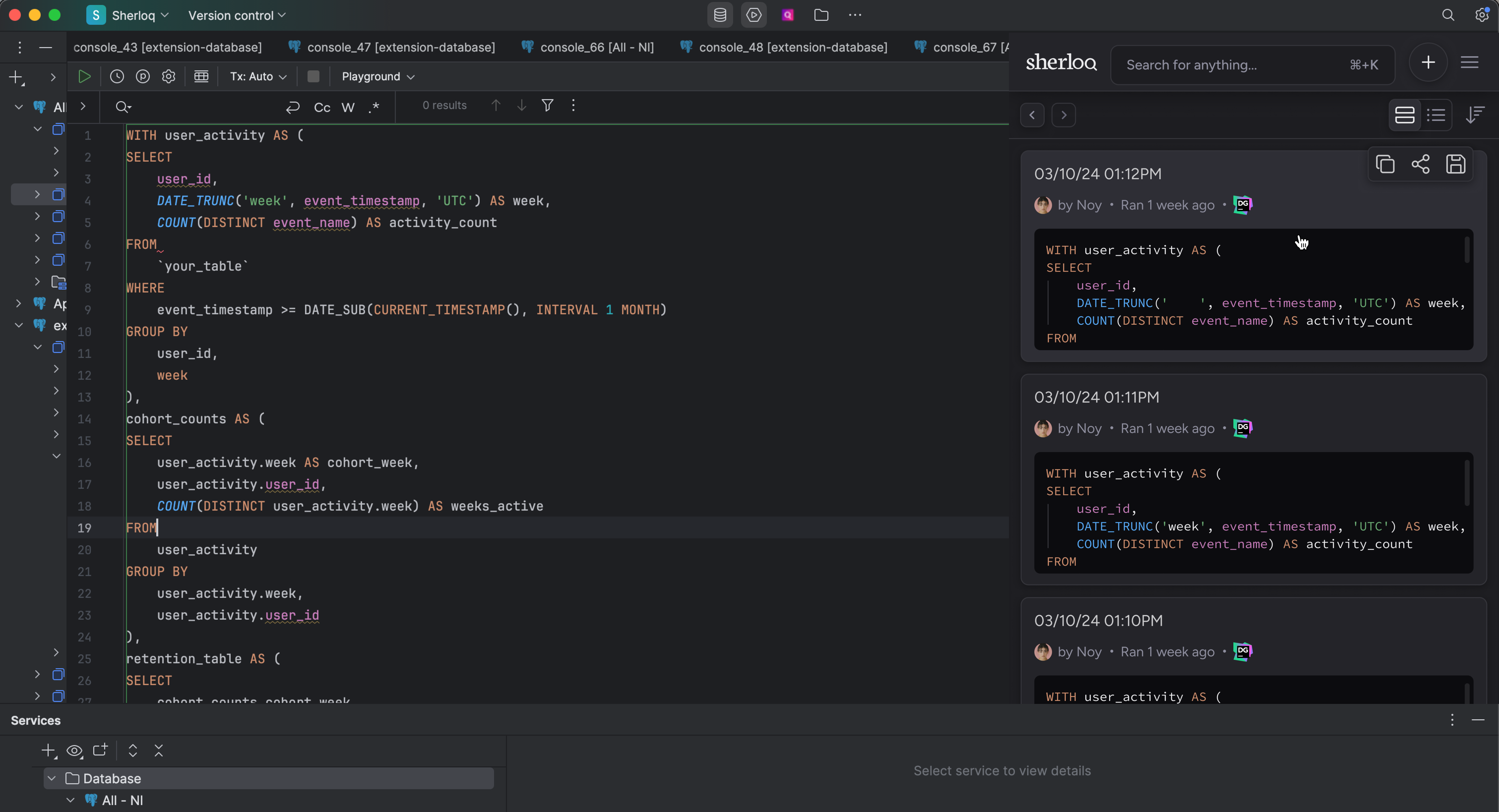 **Common use cases:**
* **Metadata Discovery**: Identify which tables and fields are commonly used by your team.
* **Data Discovery**: Learn how to query specific tables or fields following common practices.
* **Backup and Easy Access**: Quickly access your previous unsaved work.
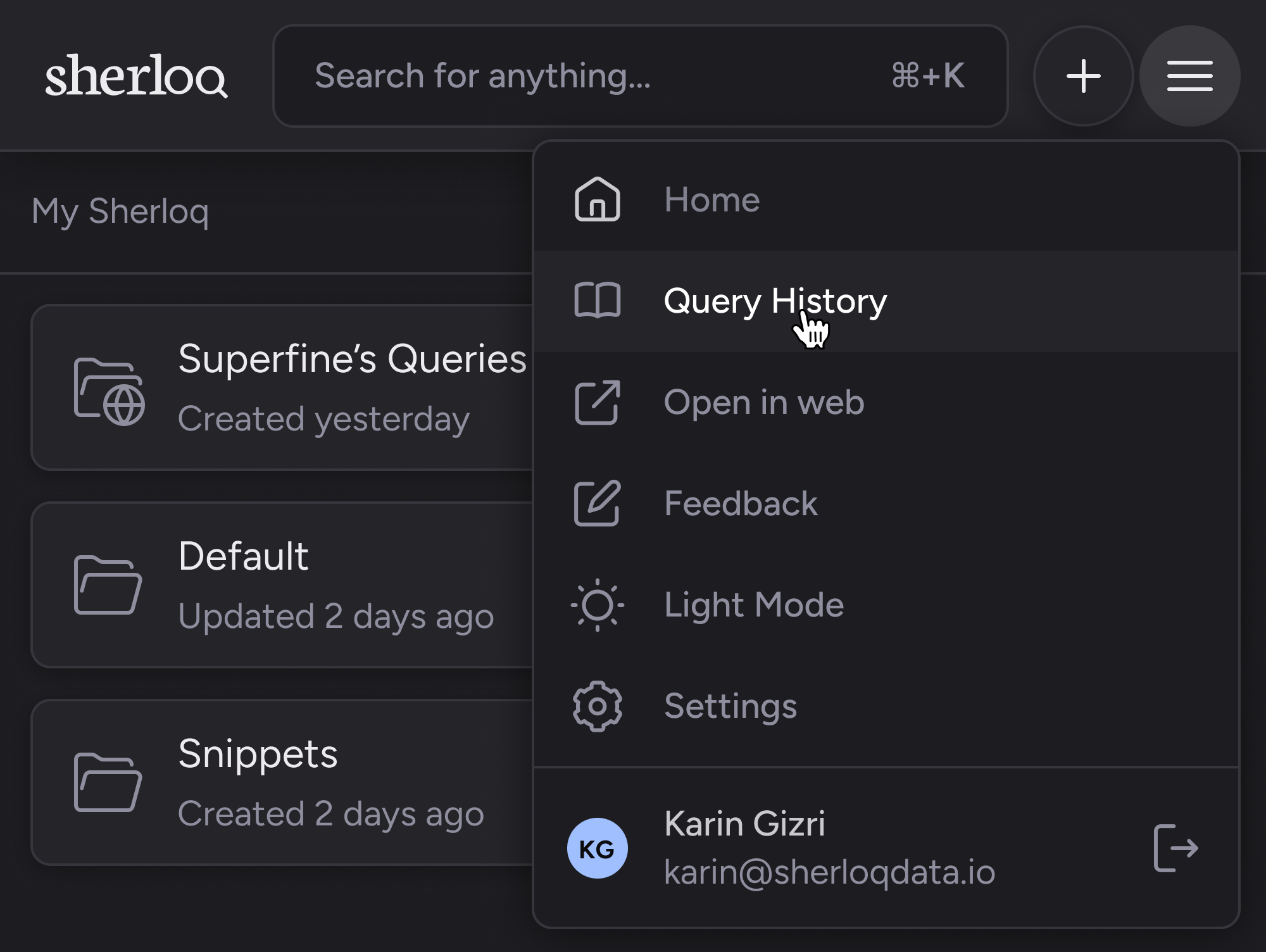
Go to the menu → **History Queries**, and you’ll find all your executed query logs, sorted by the last execution time in your IDE.
**Common use cases:**
* **Metadata Discovery**: Identify which tables and fields are commonly used by your team.
* **Data Discovery**: Learn how to query specific tables or fields following common practices.
* **Backup and Easy Access**: Quickly access your previous unsaved work.
Go to the menu → **History Queries**, and you’ll find all your executed query logs, sorted by the last execution time in your IDE.
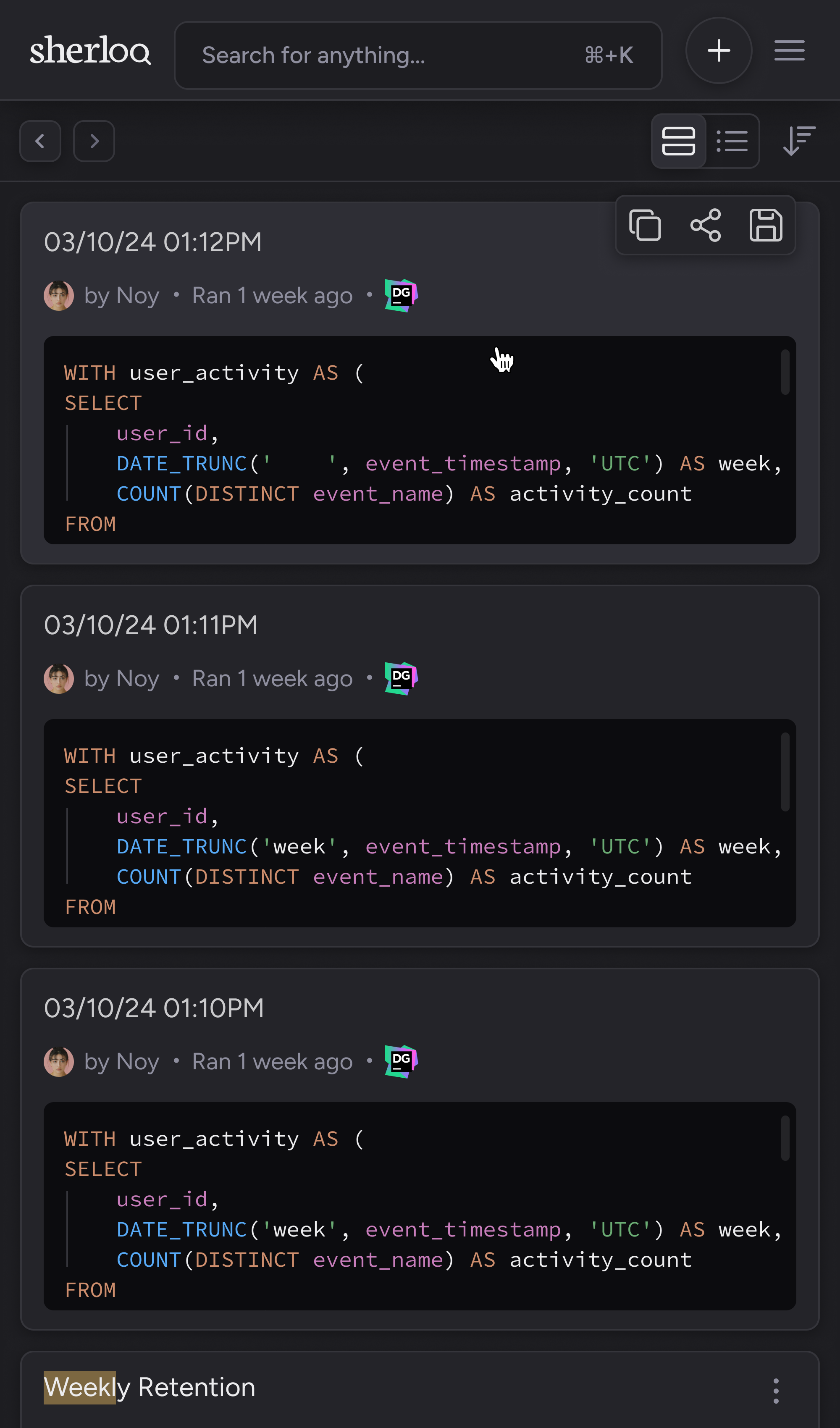 There is **unlimited** storage for query logs in the Business + AI Plan.
You can save historical queries to your Sherloq by clicking on the save icon.
## Search Team’s Queries History Logs
You can search your team’s query history, filter by the specific user who executed the query, domain expert, or asset name (e.g., a field or table name)
There is **unlimited** storage for query logs in the Business + AI Plan.
You can save historical queries to your Sherloq by clicking on the save icon.
## Search Team’s Queries History Logs
You can search your team’s query history, filter by the specific user who executed the query, domain expert, or asset name (e.g., a field or table name)
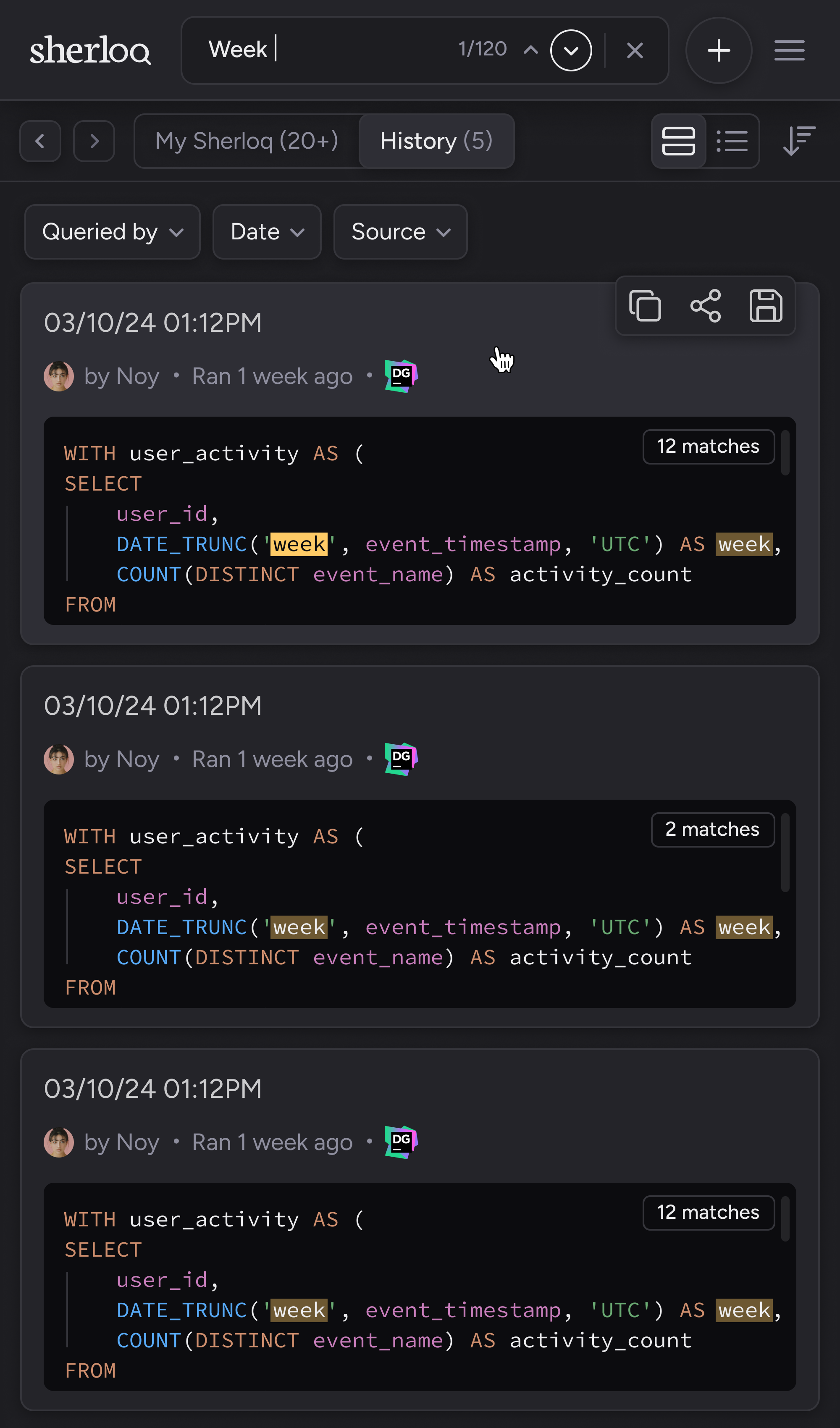 To learn more about how the search works, read more [here](/queryhistory_search).